Restoring a Missing Living Area Label in Home Designer
Pro | Architectural | Suite
QUESTION
The Living Area label is no longer appearing on my plan. How can I restore its display?
ANSWER
The Living Area label displays the area of the floor platform for living areas in a plan. It is found near the bottom center of the plan as soon as a room area is defined by walls and/or railings. If this has disappeared, it can be toggled back on or regenerated.
To display the Living Area label in Home Designer 2027 and newer
- Using the Select Objects
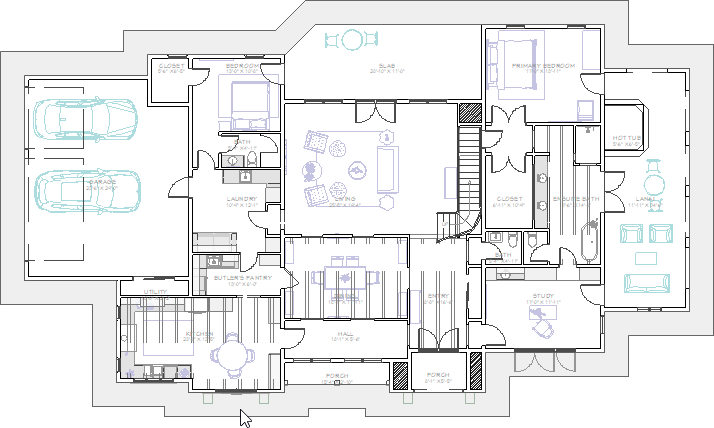
 tool, select just outside a perimeter wall to select the Exterior room object.
If you select something other than the Exterior room, such as a roof plane or dimension, use the Select Next Object edit tool until the Exterior room becomes selected. If you have trouble selecting the exterior room, zoom in closer to a perimeter wall, then retry the selection.
- With the Exterior room selected, click on the Open Object
 edit tool.
- On the Label panel of the Exterior Room Specification dialog that displays, uncheck Suppress Label in All Views, then click OK.
Alternatively, with the Exterior Room selected, use the Display Label In This View edit tool to re-enable the Living Area label.
Note: You can also find a Suppress Living Area Label setting within your General Plan Defaults. These defaults can be accessed by going to Edit> Default Settings> Plan and clicking Edit.
This particular default setting will only affect newly created areas. The Living Area Label will not be brought back by unchecking this setting.
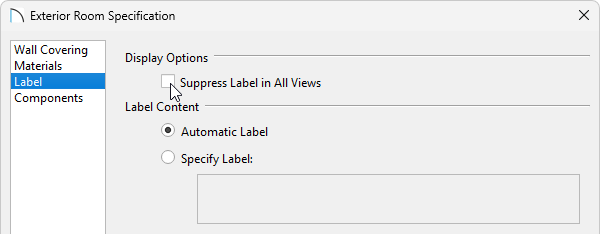
If the Living Area label still does not display, please see the troubleshooting section below.
To display the Living Area label in Home Designer 2026 and prior
- Select Edit> Default Settings
 from the menu.
- In the Default Settings dialog, select Plan from the list, then click Edit.
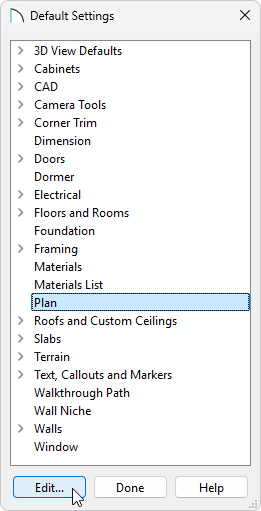
- In the General Plan Defaults dialog that displays, place a check in the box beside Show Living Area Label.
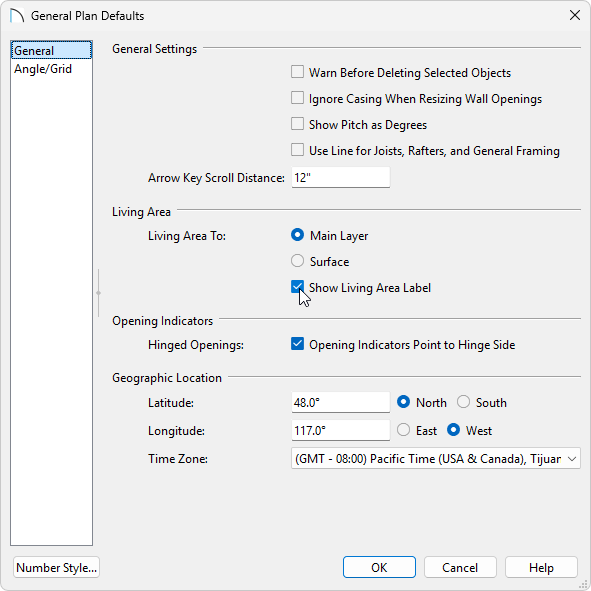
- Click the OK and Done to confirm the changes and close the dialogs.
ADDITIONAL TROUBLESHOOTING
If the Living Area label still does not display after following the instructions above, please try the following:
-
Open one of your rooms up to specification and verify that either the Include in Total Living Area Calculation option or Use Default (Included) option is selected on the General panel. If all rooms on a floor level are set to be excluded in the total living area calculation, the Living Area label will not display.
-
Next, ensure that the "Room Labels" layer is displayed in the Layer Display Options
 dialog. This is the default layer for the Living Area label. If you're using Home Designer 2026 or newer, or Home Designer Pro, you will also want to make sure that the Text Style assigned to this layer has a Character Height value large enough to be visible in the floor plan.
- If the Living Area label still doesn't appear, click on an exterior wall within a floor plan view, and use one of the resize edit handles at either end of the wall to detach it from one of the other exterior walls that it's connected to. By opening the enclosed room area, the living area calculation will be forced to update. Navigate to Build> Floor> Rebuild Walls/Floors/Ceilings
 . Reconnect the walls to restore the enclosed room area, then navigate to Build> Floor> Rebuild Walls/Floors/Ceilings once again.
-
Select Tools> Checks> Plan Check
 from the menu. In the Plan Check dialog, click the Done button. When the dialog closes, check to see if the Living Area label displays.
-
You can use one of the Text
 tools to place a text object, then insert the Living Area (%living.area%) macro.
If you continue to have trouble with populating the Living Area label, please provide a copy of the project to our Technical Support department using the Technical Support Center.