Free Live Training Webinars

Design Program Training

Our Home Designer webinars are a quick and easy way to learn more about our software. Through the chat option new, intermediate, or soon-to-be users can ask questions throughout the hour long class. All webinars are taught using Home Designer Pro.*

If you are unable to attend the live webinar, you can sign up and a link to the recording will be emailed to you.

Custom Bath and Lighting Project
1) Custom Bath and Lighting Project — Wednesday, May 29 at 12:00 PM Pacific Time
In this seminar we will create a custom master bathroom including a glass shower enclosure and tile surround. We will demonstrate how to use the cabinet tools to design a bathroom vanity with sink basin and create custom lighting to produce dramatic 3D renders that include shadows.
Sign up now!
Design Contest - Kitchen Island
2) Design Contest - Kitchen Island — Wednesday, June 5 at 12:00 PM Pacific Time
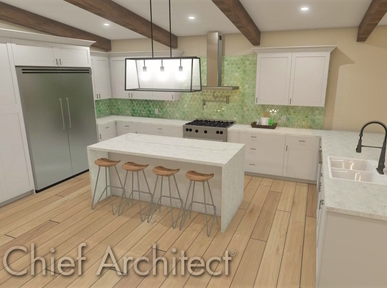
In this webinar we will create the winning Kitchen Island Design from the June Design Contest. We will demonstrate how to customize cabinets, countertops, materials, and more. Learn more about our Design Contests through our user forum, HomeTalk.
Sign up now!
Quick Start
3) Quick Start — Wednesday, June 12 at 2:00 PM Pacific Time
This webinar is an easy way to get a jump start using Home Designer Software. The class will take you through all the elements of a building project from start to finish and show you how to take advantage of the powerful building and design tools available in Home Designer Software.
Sign up now!
Custom Closet Project
4) Custom Closet Project — Wednesday, June 19 at 2:00 PM Pacific Time
In this webinar we will create a master closet including custom cabinets and shelving units. We will also demonstrate how to adjust materials and lighting.
Sign up now!
Landscape & Deck Project
5) Landscape & Deck Project — Wednesday, June 26 at 12:00 PM Pacific Time
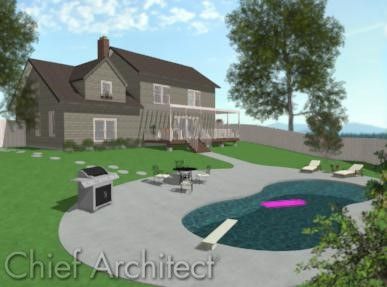
In this webinar we will create a walk out basement with a second story deck. We will demonstrate how to use the terrain and deck tools to slope the terrain and build a deck on the second story. In addition, we will work with our landscaping tools to add plants, create planter beds and add a pool. create planter beds and add a pool.
Sign up now!

It is currently 8:19 AM Pacific Time (UTC-7)

Requirements

  • A high speed Internet connection
  • A computer with speakers / headphones (audio is sent over Internet) or a telephone (long distance phone charges may apply).

* Not all Home Designer products have the same features as Home Designer Pro, but this seminar should provide a good understanding of how to use all Chief Architect products. Click here to view our full product comparison chart

Questions?

Please call Training Services at 800.482.4433 or 208.292.3400 or email if you have any questions, comments or suggestions.