Interior Designer

Professional Home Design Software
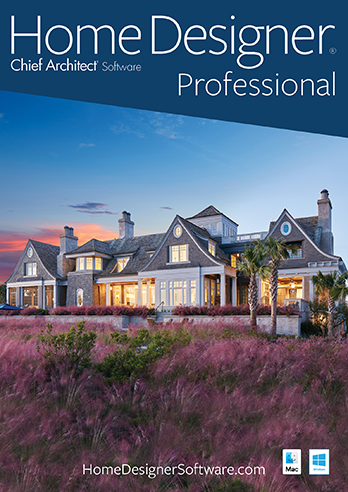
Better Homes and Gardens Home Designer Pro 8.0 is professional home design software for the serious home enthusiast. Enjoy the same tools that the professionals use for home design, remodeling, interior design, decks, landscaping and cost estimation.

Better Homes and Gardens Home Designer Pro has all the same great features as Architectural Home Designer, Interior Designer, Landscaping and Deck Designer plus advanced CAD tools, advanced building and CAD tools, the ability to create blueprints, manual framing and roofing and much more.

Designing like a professional has never been so easy!

You don’t have Flash Player 8 or higher
Get the current Flash Player to view this video!

Professional Home Design and Landscaping Software

Create accurately scaled floor plans that automatically generate 3D models in minutes. Create any detailed view of your design using advanced 3D camera tools like Glass House™, Doll House™, Framing, Elevation and Cross-Sections.

– Create the Virtual Look and Feel Before You Build!

Home Design Software by Chief Architect

  • Exclusive Better Homes and Gardens Design Planning Center for expert design advice
  • Choose from over 5,000 Sample Plans
  • Design Inspiration Gallery contains photos by type for design and inspiration design ideas
  • Choose from built-in style templates or create your own custom home design, or use the House Wizard™
  • Powerful building tools like automatic roof generation, dormers, stairs, framing and foundations

Integrated Design Tools

Home Designer Pro makes it easy to design and visualize your ideas on your next home or remodeling project with over 8,000 powerful integrated tools. In addition, the Design Planning Center provides advice, decorating guidelines, tips and techniques from the editors of the Better Homes and Gardens® magazine.

Get Started Quickly and Easily

  • The Quick Startup Options Guide will help you begin with "How-To" tutorials based on the type of your project
  • Use the House Wizard™ for quick and easy layout of your rooms
  • Select from the pre-designed Home Design and Landscaping Style Templates complete with colors, cabinets, decks and more
  • Exclusive Design Planning Center for up-to-date How-To and Design Tips from the experts to help in your design process
  • Includes Step-by-Step Tutorial DVD Packed with over 70 easy "step-by-step" tutorial training videos that will quickly get you started on your next home design project


3D Design Tools

Automated and Manual Building Tools

  • Design roofs and walls in 3D
  • Generate various styles of Automatic roofs or manually design any custom roof including curved roofs
  • Use the Automatic Dormer tool to quick place dormers – shed, gable, eyebrow and barrel
  • Automatic Structural Dormers
  • Unblock and manually edit Automatic Dormers
  • Create any custom roof or ceiling plan with the Roof Design Tools. Edit and create roof planes to create a roof of any pitch and shape. Start with an automatic roof and then add custom details, or create the entire roof manually.
  • Automatic framing tools
  • Manual framing tools for fully editable framing, including joists, rafters, trusses, beams, posts and more
  • Choose from several built-in wall styles with individual wall layers or define your own wall style
  • Ability to read and edit files by Chief Architect Full Professional Software
  • ICC Residential Design Checklist will allow you to check your plan against national building codes


Kitchen and Bath Design

Interior Design

  • Use the Better Homes and Gardens Design Planning Center to help guide your designs with guidelines, tips and expert advice
  • Design Inspiration Gallery – Our gallery of photos will help you to jump start your design and decorating style ideas with inspirational photos by rooms
  • Material Painter® lets you apply colors and materials quickly and easily
  • Choose from thousands of colors and textures or create your own materials using a digital photograph
  • Design for your lifestyle and personality – change colors, add lighting and choose furniture to accent your new room
  • Import your own symbols from Sketchup or 3D Studio


Decks and Landscaping

Site Planning & Estimating

  • Use Automatic Build Terrain and Terrain Perimeter tools to create flat, irregular shaped, or sloped lots – use a GPS to import or enter elevation data
  • Create plot and perimeter plans; automatically generate a 3D model of your actual terrain
  • Export Material List to spreadsheet programs including Microsoft® Excel
  • Save snapshot Material Lists for different stages of the project
  • Add detail to each individual component in the material list for a comprehensive cost estimate breakdown
  • Master Materials List allows you to store and manage commonly used material prices
  • Sprinkler Designer™ tools to easily layout sprinkler zones
  • Fences and Driveways – With the Fencing tools you can choose a variety of fencing styles and custom gates. You will also find driveway, sidewalk and curbing tools
  • Hill and Valley tools make it easy to add gardens, beds and slopes that automatically appear in 3D views. Choose from landscaping style templates or create your own.
  • Define Terrain Elevation lines, Elevation Regions and Terrain Breaks


CAD Tools

Building Tools

  • Customize construction methods for walls, floors, ceilings and foundations. Identify the exact placement of framing components, specify wall layers, floor structure platform height, mudsills and more.
  • Advanced stair tools allow control of shape, starter treads, flaring, tread width and more
  • Create pony walls and edit wall shape or create a stepped foundation in cross-section view
  • Multiple-select editing. For example, select all your cabinets and change them all with one command.
  • Use callouts to reference between details, plans and cross-sections in a blueprint layout
  • Create blueprint layouts (up to Architectural C drawings 18" x 24") with 3D, CAD, Cross-Section/Elevation and Plan Views
  • Rotate and Flip Plan
  • Advanced dimensioning tools include angular, end-to-end and interior dimensions
  • Fully editable dimension lines and configurable dimension editing allow you to change where dimensions locate walls, windows, doors and other objects

Includes Free How-To Tutorial DVD – with over 70 How-To Videos


Made and supported in the USA.
Minimum System Requirements:
Windows XP/Vista
2.4 GHz processor or greater
2 GB of disk space
512 MB of Memory on XP
2 GB of Memory on Vista
DVD drive
works with Windows Vista