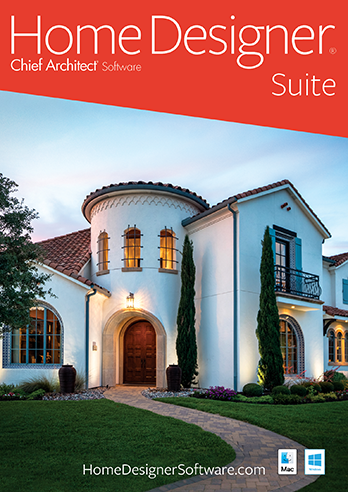
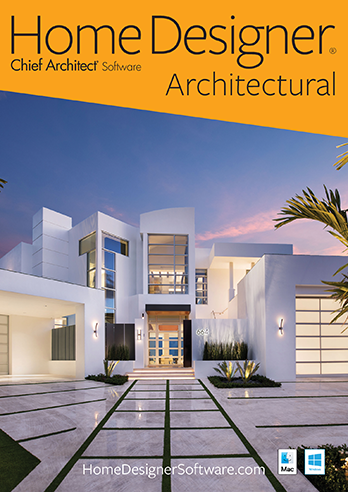
Create Your Dream Home...
Chief Architect Architectural Home Designer provides an advanced yet easy to use set of tools for Home Design, Remodeling, Interior Design, Kitchens, Baths, Decks, Landscaping, Site Planning and Cost Estimation.

Get the
current Flash Player to view this video!

Exclusive All-in-One Home Design Solution
- Choose from over 2,500 Sample Plans
- Choose from built-in home style templates, create your own custom home design or use the House Wizard™
- Powerful building tools like automatic roof generation, dormers, stairs, framing and foundations
- Artistic rendering techniques for Watercolor, Glass House™ and Technical Illustration

Get Started Quickly and Easily
- The Quick Startup Options Guide will help you begin with "How-To" tutorials based on the type of your project
- Use the House Wizard™ for quick and easy layout of your rooms
- Select from the pre-designed Home Design and Landscaping Style Templates complete with colors, cabinets, decks and more
- The online help system provides detail information on all types of building projects
- Includes over 40 easy "step-by-step" tutorial training videos that will quickly get you started on your next home design project

Kitchen and Bath Design
- Design the Kitchen of your dreams – move walls, create new cabinets, add appliances – Design your perfect workspace!
- Plan the new layout of your bathroom with custom cabinets, sinks, showers and garden tubs. It’s easy to visualize your ideas in 3D.
- Create custom cabinets in minutes by choosing your own colors, countertops, door styles and more
- Design your new kitchen or bath using the Cabinet Designer™ Tools
- Use the Cabinet Designer™ tools to create unlimited cabinet styles. Choose your own colors, countertops and door styles.

Interior Design
- Material Painter® lets you apply colors and materials quickly and easily
- Choose from thousands of colors and textures or create your own materials using a digital photograph
- Design for your lifestyle and personality – change colors, add lighting and choose furniture to accent your new room
- Choose from a variety of interior items – including chairs, tables, sofas, fabrics, accessories and more. Resize, change colors and materials to meet your exact needs.
- Import your own symbols from 3D files types including .SKP, .OBJ and .3DS
- Smart Design Objects, Drag-and-drop from thousands of design objects in the built-in Library organized by category

Decks and Landscaping
- Powerful deck and patio tools allow you to design and visualize your new deck with 3D models and can help you estimate the costs
- Design single or multi-level decks complete with automatic deck framing
- Quickly lay out your deck with stairs and arrange furniture
- Deck foundations automatically generate to match sloped lots
- Plant Encyclopedia to learn more about the plants in your designs
- Choose from over 3,600 plants with the Plant Chooser™
- Plant Hardiness Zone reference maps
- See what your plants will look like in 0 – 20 years
- Pathways – Use the Pathway tool to design curb-appealing landscaping using stone, pavers, or sidewalks – line with trees, shrubs, flowers and more

3D Models and Virtual Tours
- Design in 2D and 3D. 3D Views are automatic with a point-and-click of the camera tool.
- Glass House™ View provides a full translucent view of your design. Choose other Artistic rendering techniques for Watercolor and Technical Illustration views.
- Planning of furniture placement and traffic flow
- Create a Virtual Tour – draw your record line to Automatically Generate; or record your camera movements
- Visualize your home with day and night views
- Assemble a scale model of your design with Model Maker™
- Generate shadows from the sun for realistic 3D views
- Point-and-click to remove wall surfaces, or use 3D Cross-Section Elevation Slider™ to quickly create a 3D slice of your desired view

Site Planning & Estimating
- Use Automatic Build Terrain and Terrain Perimeter tools to create flat, irregular shaped, or sloped lots – use a GPS to import or enter elevation data
- Create plot and perimeter plans; automatically generate a 3D model of your actual terrain
- Make your backyard design come alive using several easy-to-use terrain and landscaping tools. Add a pool or pond and visualize in 3D.
- Sprinkler Designer™ tools to easily layout sprinkler zones
- Fences and Driveways – With the Fencing tools you can choose a variety of fencing styles and custom gates. You will also find driveway, sidewalk and curbing tools
- Hill and Valley tools make it easy to add gardens, beds and slopes that automatically appear in 3D views. Choose from landscaping style templates or create your own.
- Cost Estimating – Don’t be surprised by the cost of your project. Automatically generate a complete spreadsheet for your project costs, broken down by category. Calculate the amount of lumber for your deck or concrete required for that new patio.
Includes Free Online Tutorial Videos – with over 40 How-To Videos
System Requirements:
Windows® 7 / Vista / XP
2.4GHz processor Recommended
5 GB of available disk space
2 GB of Memory
DVD drive
Video card with 128 MB for Windows 7/XP; 256 MB Windows for Vista
Internet for software activation & training video access

Made and supported in the USA.